The Dashboard Explained
The dashboard is the first screen after signing in. It greets you by name and summarises the workspace.
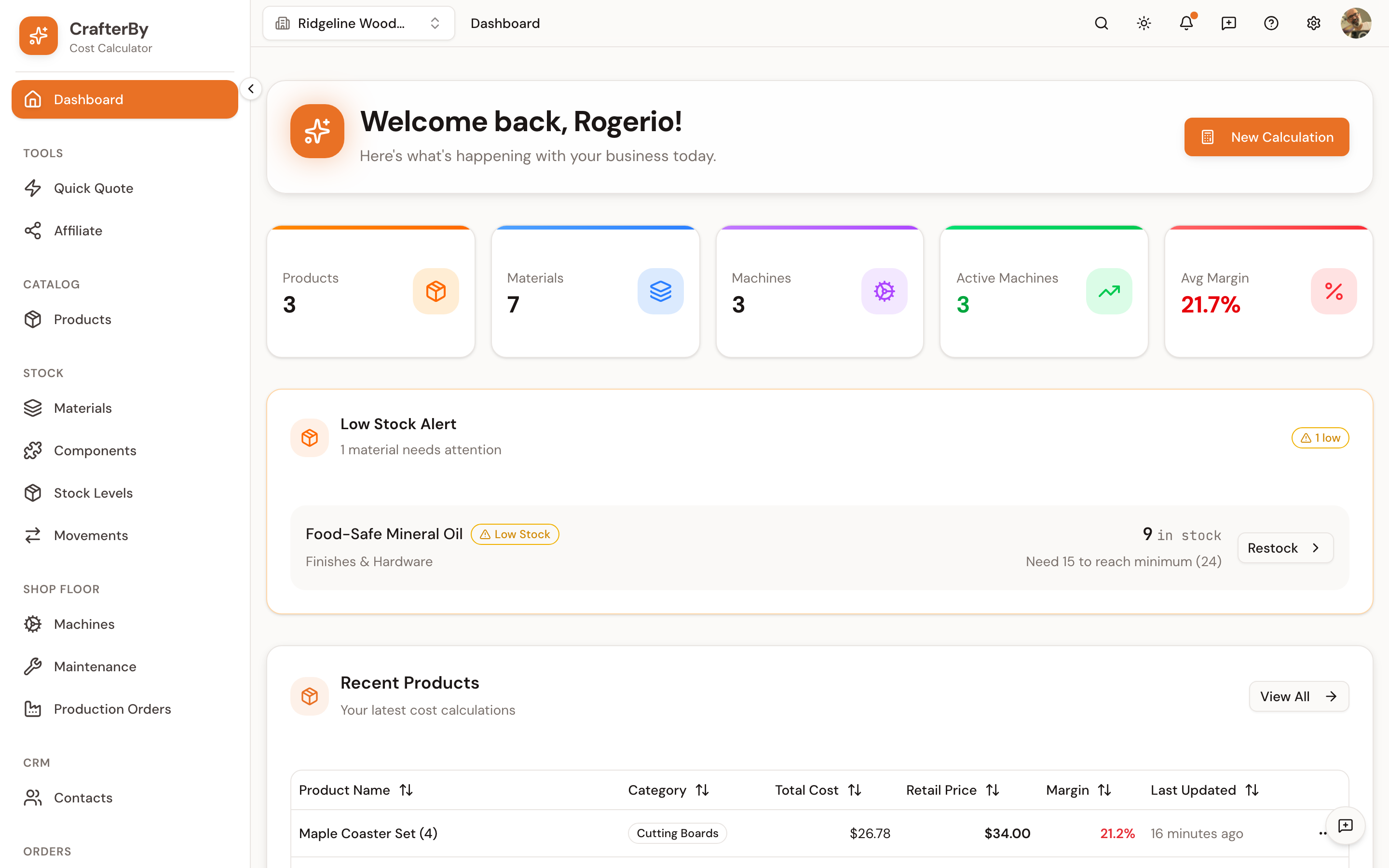
Summary cards
| Card | What it counts |
|---|---|
| Products | Total products in your catalogue. |
| Materials | Total materials in your catalogue. |
| Machines | Total machines you have added. |
| Active Machines | Machines currently marked active. |
| Avg Margin | The average margin across products that have a retail price. |
Avg Margin only averages products that actually have a price set. A catalogue of half-finished drafts will report a healthier margin than the business really has.
Low Stock Alert
Lists materials at or below their minimum stock level, with how many remain and how many more are needed to reach the minimum. Each row has a Restock action. CrafterBy never orders anything for you — this is a prompt.
Recent Products
Your latest cost calculations: product name, category, total cost, sale price, margin and when it was last updated. Sortable, with View All to the full catalogue.
Quick actions
New Calculation opens the product form directly. Use it when you already know what you want to add.
Comments
No comments yet. Be the first to comment!
Log in with your CrafterBy account to leave a comment.
Log in to comment