Creating Your Account
Your account is you: one email, one password, one profile. Your organization is the workspace holding your business data. They are separate on purpose — one account can belong to several organizations, and you switch between them.
Signing up
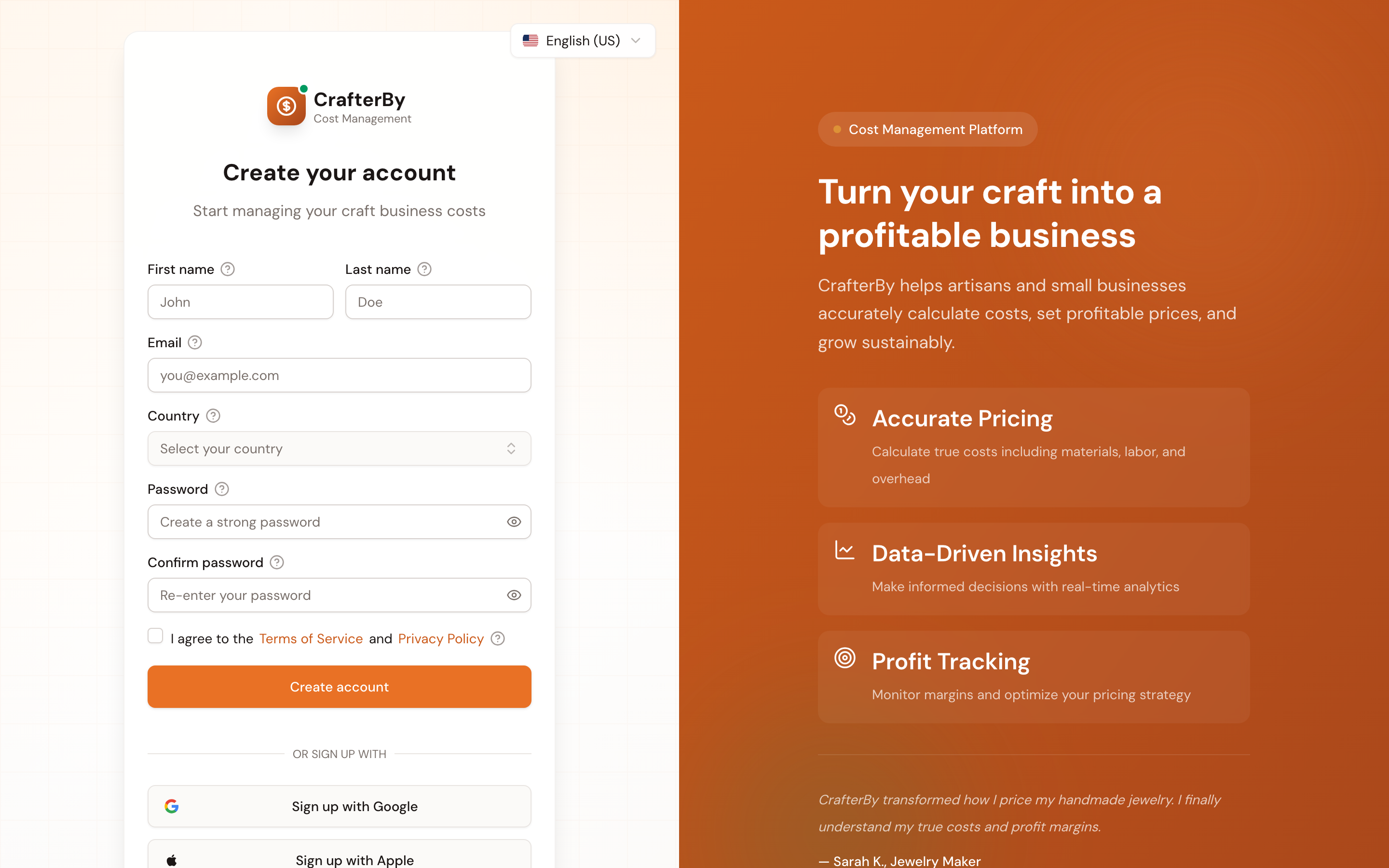
- Go to the sign-up page and choose Create account (or continue with Google or Apple).
- Enter your First name and Last name — these are how the app addresses you.
- Enter your Email. This becomes your sign-in address and receives invoices and notifications.
- Choose a Password of at least 8 characters. Mixing letters, numbers and symbols makes it stronger.
- Re-type it in Confirm password — this catches typos before the account exists.
- Tick the Terms of Service and Privacy Policy box. This is required.
- Press Create account.
Field reference
| Field | Required | Notes |
|---|---|---|
| First name | Yes | Used to address you across the app. |
| Last name | Yes | Your family name. |
| Yes | Sign-in address; must be unique and reachable. | |
| Password | Yes | Minimum 8 characters. |
| Confirm password | Yes | Must match exactly. |
| Terms checkbox | Yes | Links open the Terms and Privacy pages in a new tab. |
Verifying your email
After signing up you land on a Check your email screen. Open the message from CrafterBy and click the verification link. If it has not arrived within a few minutes, check spam, then use the resend option.
Signing in
| Field | Notes |
|---|---|
| The address you signed up with. | |
| Password | Use Forgot password? if you cannot remember it. |
| Remember me for 30 days | Optional. Keeps you signed in longer on this device. |
Signed up through someone's referral link? You are credited to them automatically — nothing extra to do.
Comments
No comments yet. Be the first to comment!
Log in with your CrafterBy account to leave a comment.
Log in to comment