Skip to content
CrafterBy

Woodworking cost & pricing calculator

$56.25 in walnut.
The finished board?
$140 to make.

The customer sees a beautiful board. You remember every pass through the planer.

Glue, finish, machine time, your labor and waste turn the lumber into a finished board. These are worked-example costs. CrafterBy helps you calculate yours.

Calculate my first product

Start free · Create an account, then add one product

Explore the cost example first
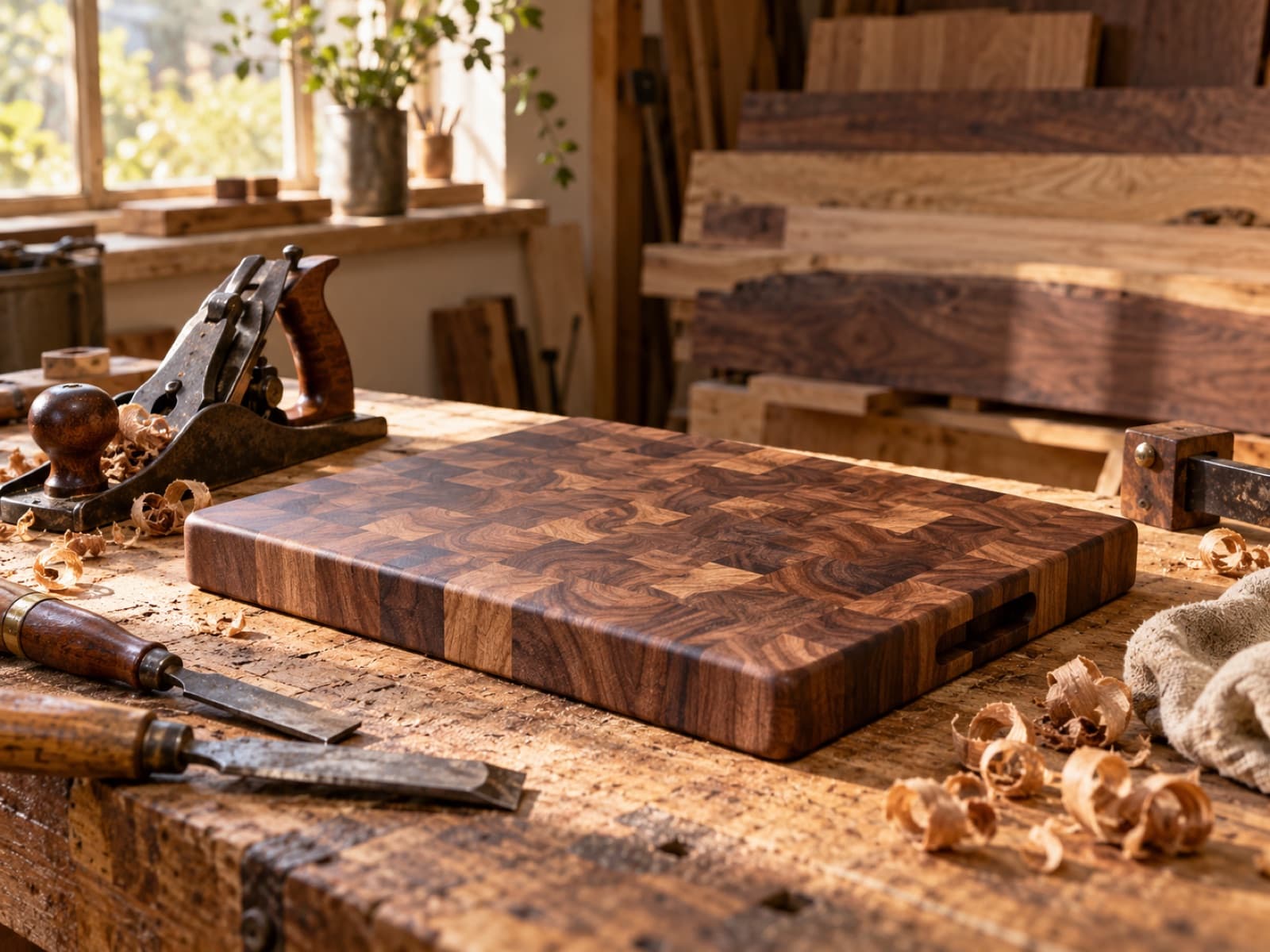
A woodworking studio with hardwood boards, a cutting board on the bench, and warm natural light.
Made by you.Good grain. Careful joinery. Every hour counted.

From making it to selling it

The first commission starts with a question your cut list can’t answer.

You made a board for your own kitchen. Now someone wants one for a gift. You know which walnut to choose and how you want the edge to feel. But a price needs more than the lumber receipt. It needs the work between a rough board and a finished piece.

CrafterBy gives that work somewhere to go: materials, waste, machine use and active bench hours in one product cost. Start with a build you know. Put the numbers beside the choices you already make at the bench.

01 / Follow the work behind the price

The costs are specific.
Your calculation should be, too.

Start with the parts of your process that are easiest to leave out. Give each one a place in the cost of your finished product.

01

The finished dimensions don’t tell you what to buy.

The wood you need to start a project can be more than the wood left in its finished parts. Rough stock, milling and the cut layout all matter. Counting only the finished board can miss wood the build consumed.

Put it in your calculation

Enter the stock used for the build and an allowance based on your actual cut list and yield.
02

The glue is dry. Your work still isn’t done.

Sanding, edge work and applying the finish can slip out of a quick estimate. Count those active sessions. Waiting for glue or finish is different from hands-on labor, although the occupied bench and delivery schedule still matter to your workshop.

Put it in your calculation

Add preparation and finishing time to labor; keep machine use and workshop costs visible separately.

03

Another species can mean another build cost.

A customer asks for a timber upgrade or a larger board. Updating only the lumber price can leave the new quantities, cutting layout and extra finishing work behind. The previous quote is a useful starting point, not the answer to every variation.

Put it in your calculation

Reuse the product template, then review the changed material amounts, waste and time.

02 / See what the price leaves you

One finished product.
The cost behind it.

In this fictional cutting-board example, $56.25 of walnut becomes $140.00 in making costs after glue, finish, machines, labor and waste. That is the number to start from when you consider a selling price.

At $245.00, there’s $105.00 left.

That’s after the costs listed in this example. Any unlisted packaging, fees and other expenses still need to come out of it. Move the price to explore the difference.

Illustrative USD example. Your costs and selling price are yours to choose.

Anatomy of a price

Walnut end-grain cutting board (12×18)

Example · USD
Black walnut, 4.5 bd ft @ $12.50
$56.25
Titebond III + food-safe finish
$4.10
Machine time — saw, planer, sander (0.9 hr)
$3.40
Labor — glue-up, flatten, finish (2.5 hr @ $28)
$70.00
Waste allowance + consumables
$6.25
Cost in this example
$140.00
$245.00
$70.00Explore a selling price$368.00
Left after listed costs$105.00

42.9% margin
before other expenses

A fictional worked example, not a recommended price. Include any packaging, overhead, selling fees and applicable taxes not listed here before treating the remainder as profit. Changing the price doesn’t predict demand.

Make the next decision with the numbers visible

Make the quote as considered as the joinery.

The fictional example puts $56.25 of walnut inside a $140 making cost. Materials are only part of the story. Labor, machines and consumables explain the rest, without asking you to guess a multiplier.

Enter your own build and compare a selling price against those costs. The displayed margin is a way to examine the quote, before any expenses you haven’t included. It is not a promise about what a buyer will pay.

Calculate my first product

03 / Put your costs somewhere useful

Know this product’s cost.
Keep it for the next order.

CrafterBy brings materials, active labor and equipment costs into a saved product. Explore the real app below.

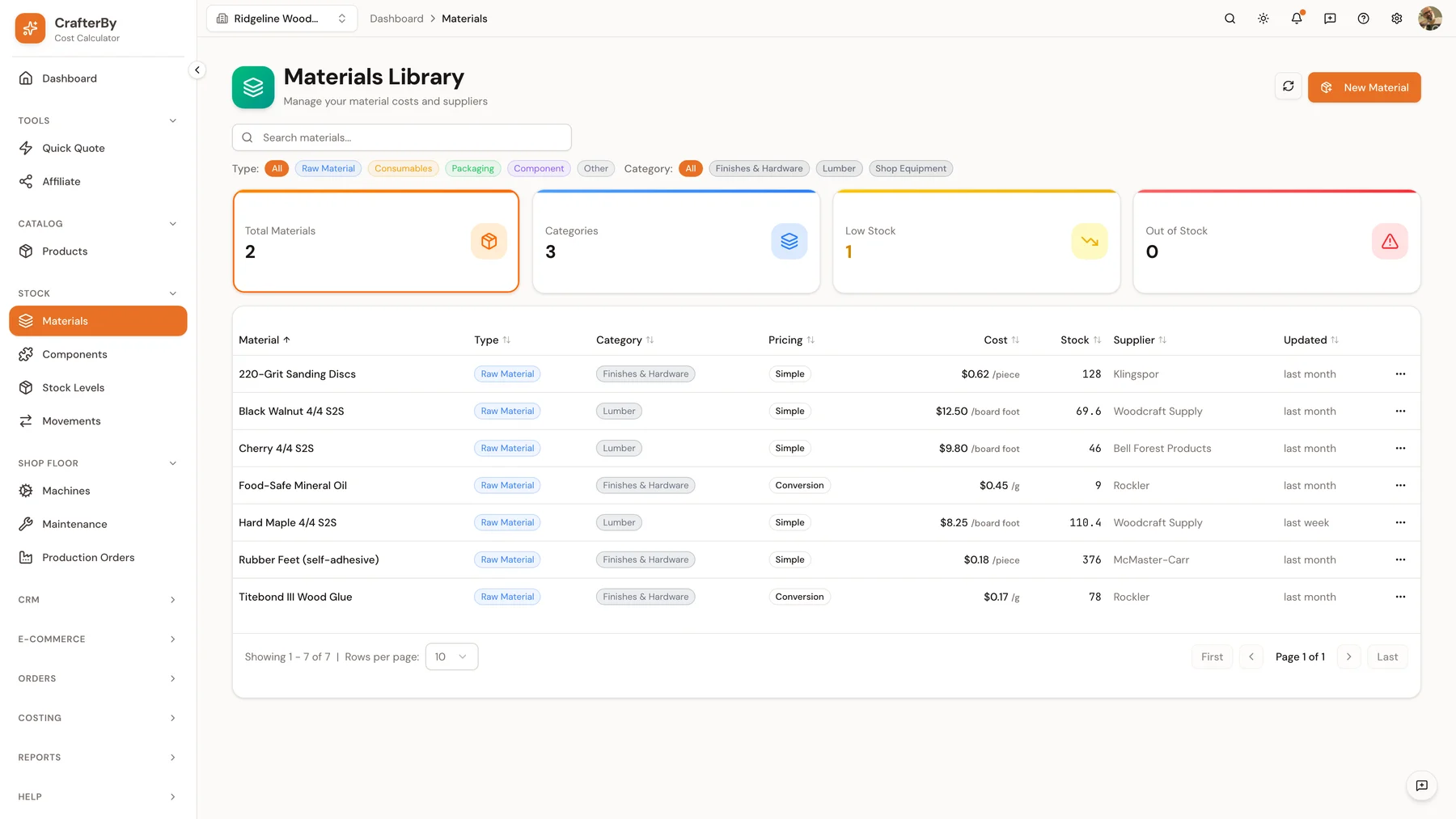
Keep hardwood lumber, plywood, wood glue and the other materials you use in one library. Record purchase prices and units, then use them in your product costs. Real app captures below contain sample woodworking data.

Inside CrafterBy / MaterialsActual app
CrafterBy’s Materials Library with unit prices, stock levels and suppliers in a sample woodworking account.

Your materials, organized · Real captures with sample woodworking data; your work uses the same tools.

View full size
Materials

Know what you paid and what you use.

Keep purchase prices, units and waste allowances with your materials. Buying a large pack and using a small amount should be part of the calculation, not another guess.

Product templates

Reuse the work behind the quote.

Save a familiar product’s materials and process as a starting point. Review the quantity, design and active time when the next order is different.

Cost & margin

Compare a price with the costs.

See what remains after the costs you entered. You choose the price; the breakdown helps you judge the work and the order before committing to it.

Before you make the next batch or quote

I already have a spreadsheet that works.

Keep what helps you understand the job. The reason to try CrafterBy is a connected material library and reusable product templates, so each new quote has a familiar place to start.

Test it with one completed build. Compare how clearly you can find the material quantities, machine costs and bench hours. Choose based on your own workflow, without rebuilding your entire catalog first.

Your first step is small

Start with one product.
Build from what you know.

Bring the cut list for one board, shelf or small table. Create a free account, add the stock and consumables it uses, and include your active hours. Look at the cost before choosing the price.

Create your free account, add the costs you know, then explore a selling price. Replace estimates with measured numbers as you learn from your own work.

Calculate my first product

Start free. See current plans and limits.

Before you start

Questions from your craft.
Answers you can use.

Do I put the whole lumber order into one board?

Use the quantity consumed by that build, including its appropriate waste allowance. Stock left for later projects remains separate. Review your units so purchase quantities and product quantities match.

Should machine time replace my labor time?

No. Equipment use and your active work are different costs. Both can apply during the same operation. Avoid counting power or wear twice if you already included it in your chosen machine rate.

Can the same template work for different sizes?

Use it as a starting point, then update quantities and time for the new build. You decide how the design changes the stock and work required.

I’m only starting to sell. Is this for me?

Yes. You can begin with one product and the materials you already use. Bring the cut list for one board, shelf or small table. Create a free account, add the stock and consumables it uses, and include your active hours. Look at the cost before choosing the price. You don’t need a team or a large catalog to start understanding your costs.

Is the money left after these costs all profit?

At a $245.00 selling price, $105.00 remains after the $140.00 of costs listed in this fictional example. Any packaging, overhead, selling fees, shipping you cover or applicable taxes not listed here can reduce that amount. Include your active labor as a cost too; it is separate from the margin left afterward.

Can I try it before choosing a paid plan?

Yes. Create an account and start free with one product. Check the pricing page for current plan features and limits. You can compare the process with your existing notes or spreadsheet before deciding what you need.

Your work deserves a price you understand

Make the product.
Know what it costs.

Start with your materials, your process and your time.
Give the next price a reason behind it.

Calculate my first product

Free to start · Your costs, your price, your decision